


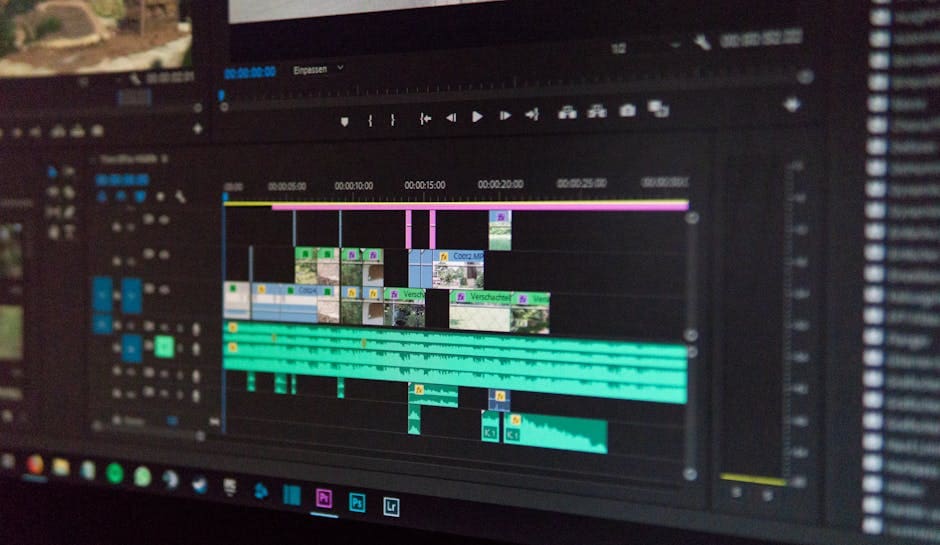
Open up Your Creativity with Cheap Video Maker Software
Finding the right cheap video maker software can feel overwhelming. Yet, it’s essential for today’s digital world. Many people search for free options to create engaging video content. Here are some top picks for free video maker software:
- DaVinci Resolve: Offers professional-grade tools, ideal for aspiring pros.
- Microsoft Clipchamp: Easy-to-use online editor, great for quick social media videos.
- Apple iMovie: Simple and intuitive for Mac and iOS users.
- Lightworks: Features Hollywood-level editing, with a capable free version.
Video content is everywhere. On YouTube, people spend over 500 million hours streaming videos daily. Videos have even surpassed Netflix in the US for daily viewers. This shows just how much your audience wants to see video. For businesses, video is a powerful tool. It helps build your brand, engage customers, and drive sales.
But you don’t need expensive tools to make great videos. Many affordable and even free options exist. These tools help you create professional-looking content without breaking your budget. AI features are also making video creation faster and more accessible than ever before. This means you can get high-quality results efficiently.
I’m Magee Clegg, founder and CEO of Cleartail Marketing. Since 2014, my team and I have helped B2B companies grow by finding cost-effective strategies, including the best cheap video maker software, to acquire new customers and expand existing accounts. Now, let’s look at what features matter most when choosing your software.
What to Look for in Affordable Video Editing Software
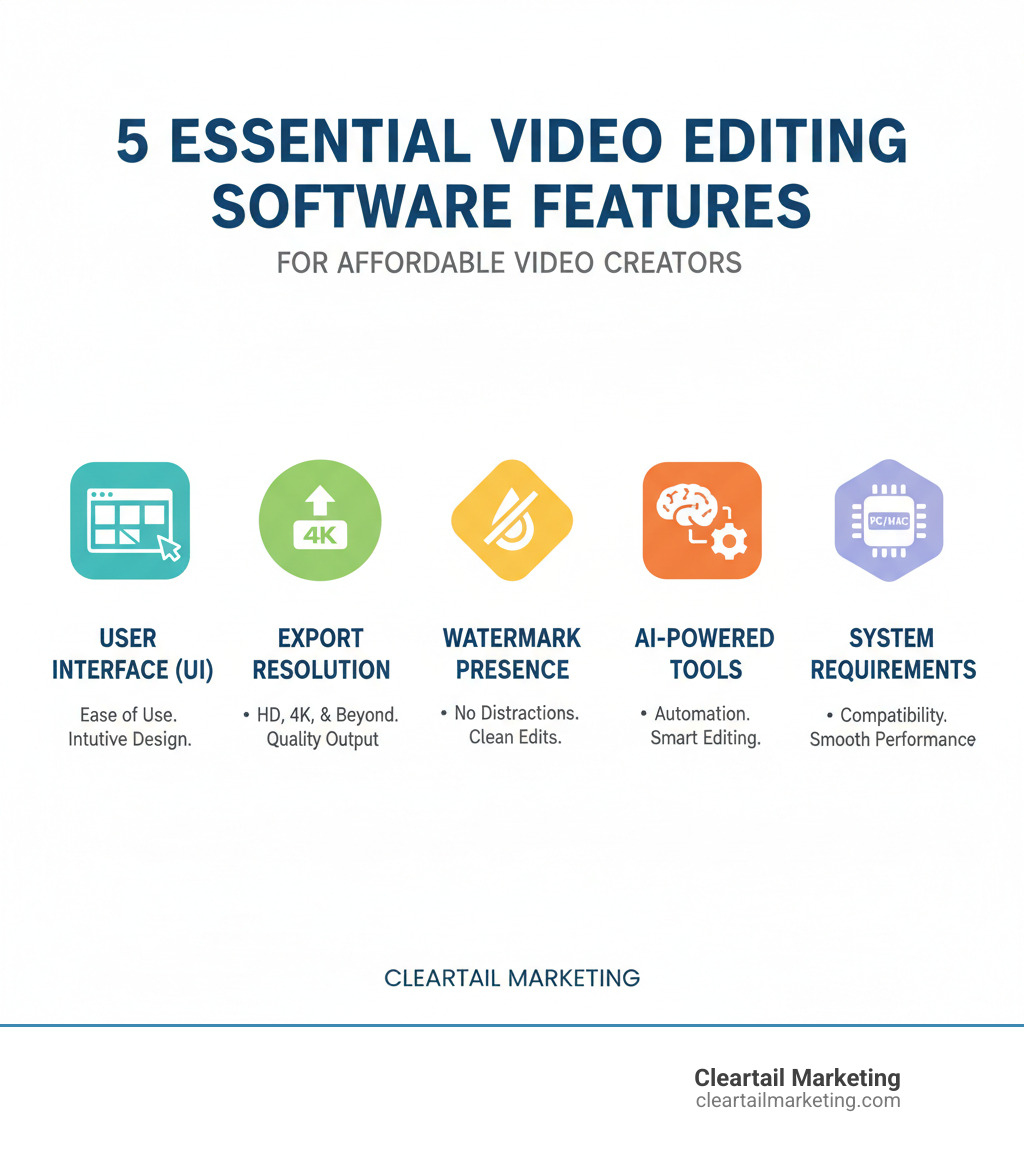
Choosing the right cheap video maker software means matching the tool to your needs, budget, and workflow. Let’s explore the essential features to consider before you commit.
Let’s start with the User Interface (UI). This is the most important factor for new editors. A beginner-friendly interface is intuitive, with clear icons, drag-and-drop functions, and a logical workflow. In contrast, professional software can be overwhelming for beginners due to its vast array of features, panels, and options. While powerful for experienced editors, it can feel overly complex if you just need to do basic edits.
Next, consider file format compatibility and export options. Your software must be able to import your footage and export it in a widely-used format. Look for support for common video (MP4, MOV, AVI), audio, and image files. For exporting, ensure the software can produce files compatible with your target platforms like YouTube or TikTok. Some free tools have limited codec support, so check this before starting a project.
Resolution limits and watermarks are common free software limitations. While many free versions offer 1080p HD exports, which is great for most platforms, 4K export usually requires a paid upgrade. Watermarks—the logo stamped on your video—are another concern. While some tools like Microsoft Clipchamp offer watermark-free 1080p exports, others may add branded intros or outros that can restrict commercial use. For business videos, a watermark is typically a dealbreaker.
The rise of AI-powered features is a game-changer that saves significant time. Look for tools like AI auto-compose for highlight reels, AI subtitles for accessibility, AI voiceover generators for narration, and AI auto cut/noise removal to speed up the editing process. Advanced rotoscoping AI tools also simplify complex tasks. Traditional rotoscoping (isolating an object from its background) took hours, but AI can now automate background removal and other visual effects. You can learn more about rotoscoping techniques here.
Don’t overlook system requirements. The best software will perform poorly on an underpowered computer. While a good GPU (graphics processing unit) helps, your CPU (central processing unit) is often more critical for overall performance, especially on budget systems. You’ll also need enough RAM; 8GB is the minimum, but 16GB or more is recommended for smooth editing. Always check the software’s specs against your computer’s.
Finally, consider online vs. downloadable software. Browser-based editors like Clipchamp are accessible from anywhere and use cloud resources for faster rendering, but require a stable internet connection and may have feature limitations. Downloadable software offers more robust features and offline capability but requires installation and storage space. For privacy concerns, some online editors like Clipchamp guarantee they don’t access your video files.
By keeping these features in mind, you’ll be well-equipped to steer the vast landscape of affordable video editing tools and find the perfect match for your creative projects.
The Best Free & Cheap Video Maker Software in 2025
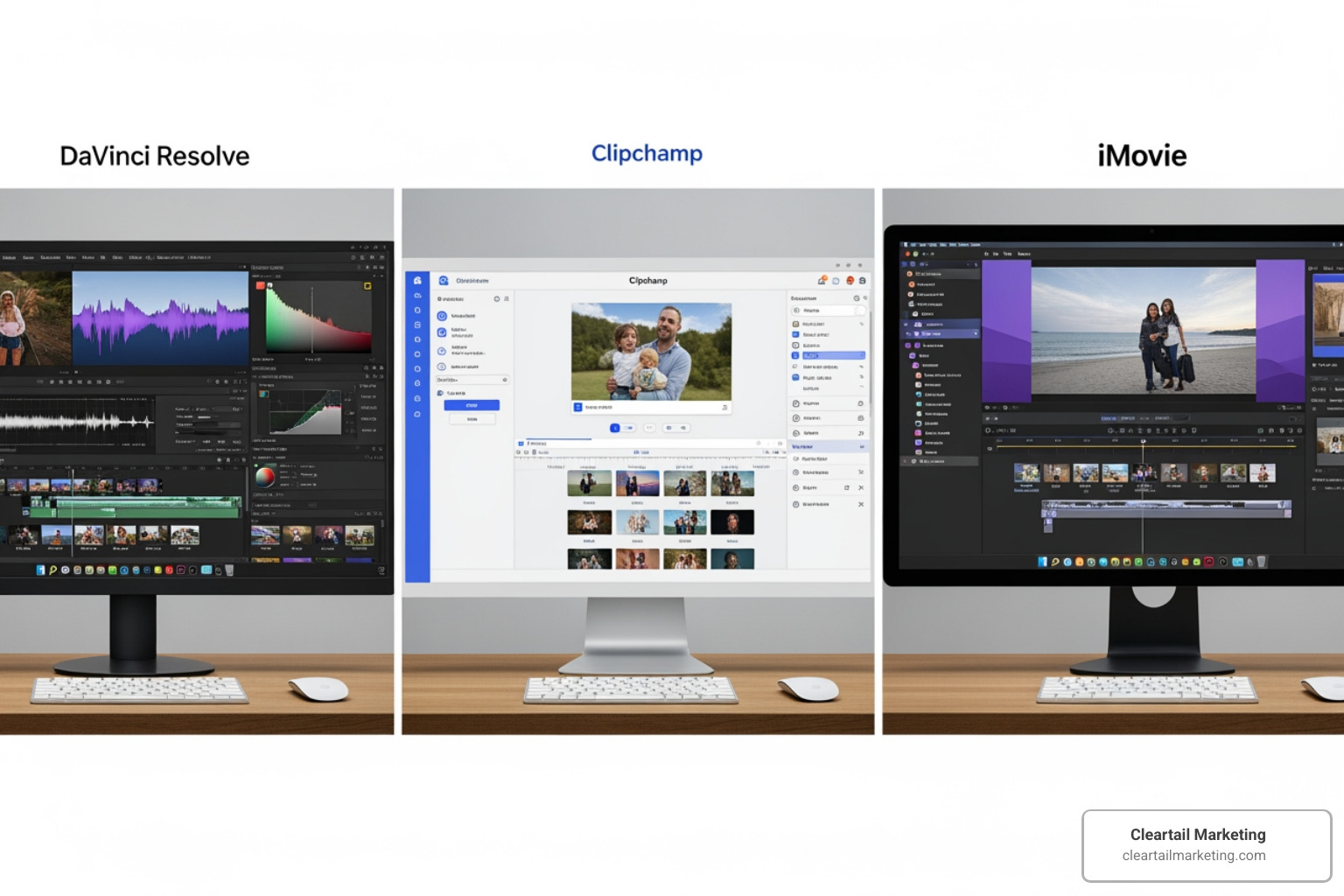
Now that we know what to look for, let’s dive into some of the best free and cheap video maker software options available right now. We’ll highlight their strengths, ideal use cases (like social media content, marketing videos, educational videos, or YouTube content), and any limitations to help you make an informed choice.
DaVinci Resolve: Best for Aspiring Professionals (Free)
If you’re serious about video editing, DaVinci Resolve is our top free recommendation. It’s incredibly powerful software used by Hollywood pros, offering tools for everything from social media clips to feature films. PCMag rates it as “Best for Studio Work” (4.0 Excellent). Its standout features include a dedicated page for Hollywood-level color grading and the Fairlight audio post-production suite, giving you unparalleled control. It’s cross-platform, running on Windows, Mac, and Linux. However, this power comes with a steep learning curve and high system requirements, so it can be intimidating for beginners and sluggish on underpowered computers. The free version is robust and exports without watermarks, making it a fantastic choice for aspiring professionals, even if some advanced features are reserved for the paid Studio version.
Microsoft Clipchamp: Best Online Cheap Video Maker Software
For quick and easy social media, marketing, or educational videos, Microsoft Clipchamp is a fantastic browser-based option with no downloads required. Its beginner-friendly interface is packed with time-saving AI features like auto-compose, subtitles in 80+ languages, and a voiceover generator. It also includes a large library of templates and stock media. A major advantage is its free, watermark-free 1080p HD export, which is perfect for most online platforms. While 4K export is a premium feature, the free offering is a game-changer for creators needing a professional output. PCMag rates it “Best for Small Business Marketers and AI Voice-Overs” (3.5 Good). Clipchamp also guarantees user privacy, stating they never access your videos. It’s an ideal cheap video maker software for creating quick, impactful content. You can start creating videos for free by visiting their site.
Apple iMovie: Best for Mac & iOS Beginners (Free)

For Apple users, iMovie is a fantastic free option pre-installed on most Mac, iPhone, and iPad devices. It features a simple, intuitive drag-and-drop interface perfect for beginners. PCMag rates it “Best for Easy Editing on Macs” (4.0 Excellent). Its seamless integration across Apple devices allows you to start a project on your iPhone and finish it on your Mac. It also supports editing Cinematic Mode videos from iPhones. While user-friendly, iMovie is exclusive to the Apple ecosystem and is somewhat basic, offering only two video tracks. This can be limiting for complex projects, but for personal videos, school projects, or simple social media content, iMovie is an unbeatable free tool that produces high-quality, watermark-free videos.
Lightworks: Hollywood Power with a Free Tier
Lightworks has a rich professional history, used on films like Pulp Fiction and The Wolf of Wall Street. It offers robust non-linear editing and a highly customizable interface, which is great for experienced editors but adds to the learning curve for newcomers. The free version provides access to many powerful tools but has one major limitation: exports are capped at 720p. This resolution can be a drawback for modern online content. Despite this, Lightworks is an excellent cross-platform (Windows, Mac, Linux) tool for learning professional editing workflows. If you’re willing to invest time and can work with 720p output, it offers a free glimpse into professional editing. You can join the Lightworks community forum to connect with other creators.
Paid vs. Free: When Is It Worth Upgrading?
While free cheap video maker software is great for starting, you may wonder when to upgrade. The decision balances the limits of free tools against the benefits of paid “prosumer” options.
Free software often has restrictions like:
- Watermarks: Branding your video with the software’s logo.
- Resolution Caps: Limiting exports to 720p or 1080p, with 4K being a premium feature.
- Fewer Features: Locking advanced effects, multi-track editing, or specialized tools.
- Codec & Commercial Use Limitations: Restricting file compatibility or use for business.
Upgrading to a paid “prosumer” plan open ups significant benefits:
- No Watermarks & Higher Resolution: Clean, professional exports in 4K or even 8K.
- Advanced Tools & AI: Access to sophisticated AI, motion tracking, and better color grading.
- Better Performance & Support: Faster rendering and access to customer support.
- More Content & Collaboration: Extensive stock media libraries and features for teamwork.
If your video projects are becoming more complex, if you need professional output without branding, or if your time is valuable, upgrading to a paid solution can be a worthwhile investment. Think of it as moving from a starter toolkit to a fully equipped workshop.
Top Value-for-Money “Prosumer” Options for cheap video maker software
For those ready to step up their game without necessarily diving into the deep end of professional pricing, several “prosumer” options offer excellent value for money. These tools bridge the gap between free and professional, providing robust features at an accessible price point.
-
CyberLink PowerDirector 365: Rated “Best Overall” by PCMag with a 5.0 rating, this software offers an “unbeatable mix of power, speed, and accessibility.” It provides excellent value, blending pro-level AI tools with an intuitive design and fast rendering. The subscription model ensures you always have the latest features, making it a top affordable solution.
-
Adobe Premiere Elements: A more accessible, one-time purchase alternative to the professional Adobe Premiere Pro. PCMag rates it “Best for Digital Scrapbooking” (3.5 Good). It simplifies editing with guided edits and automatic movie creation, making it perfect for enthusiasts who want more power than iMovie without the complexity of a pro subscription. (You can try Adobe Premiere Pro free for 7 days if you’re curious about the full version).
-
Apple Final Cut Pro: An excellent choice for Mac users wanting a professional tool without a subscription. PCMag rates it as “Best for Professionals Using Macs” with an “Excellent” 4.0 rating. Its one-time cost can be more affordable long-term than a subscription. Final Cut Pro offers powerful tools, including a unique ‘trackless’ timeline, in a relatively simple interface, making it a worthy investment for serious creators.
When considering these options, you’ll encounter two primary pricing models: subscription vs. perpetual license. Subscription models (like Adobe Premiere Pro or CyberLink PowerDirector 365) offer continuous updates and cloud features for a recurring fee. Perpetual licenses (like Final Cut Pro or Adobe Premiere Elements) involve a one-time purchase for a specific software version. Your choice depends on your budget and how often you want new features.
Here are some key features that often become available or significantly improved when you opt for paid plans:
- 4K and 8K Export: For ultra-high-definition visual quality.
- Advanced AI Features: Sophisticated tools for smart object selection, background removal, and generative AI.
- Premium Stock Media: Unlimited access to professional-grade stock videos, images, and music.
- No Watermarks/Intros: Clean, unbranded video exports.
- Multi-Track Editing: For complex layering of video and audio.
- Motion Tracking: Attach text or effects to moving objects.
- Multicam Editing: Switch between multiple camera angles seamlessly.
- Advanced Color Grading: Professional tools like LUTs (lookup tables) for cinematic looks.
- Specialized Effects & Plugins: A wider range of visual effects and third-party plugin support.
- Dedicated Customer Support: Direct help from the software vendor.
- Cloud Integration & Collaboration: Tools for team projects and cloud storage.
Frequently Asked Questions about Video Editing Software
We often get asked similar questions about finding the perfect cheap video maker software. Let’s tackle some of the most common ones to help you further!
What’s the best free video editor without a watermark?
Several excellent free video editors allow you to export without a watermark.
- DaVinci Resolve is the most powerful option, offering professional-grade tools for editing, color, and audio without watermarks, making it suitable for commercial projects.
- Microsoft Clipchamp is another strong choice, allowing watermark-free 1080p HD exports, perfect for social media. Using premium stock media requires an upgrade.
- For Apple users, iMovie is a simple, pre-installed option that exports clean, watermark-free videos.
- Other open-source options like Shotcut and OpenShot are also completely free and do not add watermarks. They offer solid core features, though they may be less polished.
Always check the terms, as some software might add a branded intro or outro instead of a watermark, which could restrict commercial use.
Can I make professional-looking videos with free software?
Yes, you can absolutely create professional-looking videos with free software. The idea that you need expensive tools is outdated.
Achieving a professional look depends more on your skill and creativity than the software. A talented editor can create stunning work with a basic tool, while a beginner might struggle even with professional software.
- For a quick, polished look, Microsoft Clipchamp offers templates and AI features that help beginners create professional-looking content with minimal effort.
- For high-end results, DaVinci Resolve’s free version provides an incredible platform for advanced color grading and visual effects, rivaling paid software. However, it requires an investment of time to learn.
The “professional” standard depends on your context. A well-edited video from Clipchamp is perfect for social media, while a short film might benefit from the deeper features of DaVinci Resolve.
What video editing software do most YouTubers use?
YouTubers use a wide range of software depending on their skill, budget, and content complexity. There’s no single answer.
- Beginners often start with free, user-friendly options like Apple iMovie (for Mac users) or the browser-based Microsoft Clipchamp for quick, straightforward content.
- Established Creators frequently use industry-standard tools. Adobe Premiere Pro is extremely popular for its comprehensive features and integration with other Adobe apps. Apple Final Cut Pro is a favorite among Mac users for its power and one-time purchase price.
- Growing in Popularity is DaVinci Resolve, especially among creators focused on high-quality color grading. Its powerful free version is a major draw for those looking to increase production value without a subscription.
The best software is what fits a creator’s workflow and budget. Many successful YouTubers started with basic tools and upgraded as their channel grew. The content itself is more important than the software used to create it.
Conclusion: Start Creating Your Video Content Today
The world of video content is booming, and your audience is watching. We’ve explored a fantastic range of cheap video maker software options together, from powerful free tools like DaVinci Resolve and Microsoft Clipchamp to value-for-money prosumer choices like CyberLink PowerDirector 365. The good news? Creating engaging, professional-looking videos is more accessible and affordable than ever before.
Think about it: you now have access to the same tools Hollywood editors use, completely free. You can create stunning social media clips in minutes with browser-based editors. You can add AI-generated captions, voiceovers, and effects without hiring a team. The barriers that once kept video content creation exclusive to big-budget productions have crumbled.
Whether you’re crafting compelling content for social media, producing dynamic marketing videos for your business, creating informative educational tutorials, or building your YouTube channel, the right tools are well within reach. Don’t let budget constraints hold you back from using the power of video. Start with a free option that matches your skill level, experiment with AI features to speed up your workflow, and upgrade as your skills and needs evolve.
Video marketing isn’t just a trend—it’s a fundamental shift in how audiences consume content. Whether you’re creating videos for social media, your website, or ad campaigns, the right tools are within reach, and the potential impact on your brand is enormous.
At Cleartail Marketing, we understand the power of video in today’s digital landscape. It’s a cornerstone of effective digital marketing, driving engagement, building brand recognition, and ultimately helping businesses grow. We empower businesses to tell their stories through impactful content that resonates with their audiences. If you’re ready to take your brand’s video strategy to the next level with professional guidance and execution, we’re here to help. Explore our social media packages to see how professional video can elevate your brand.
The tools are in your hands. The only question left is: what will you create today?
