



Why Special Hosting Plans Matter for Your Business
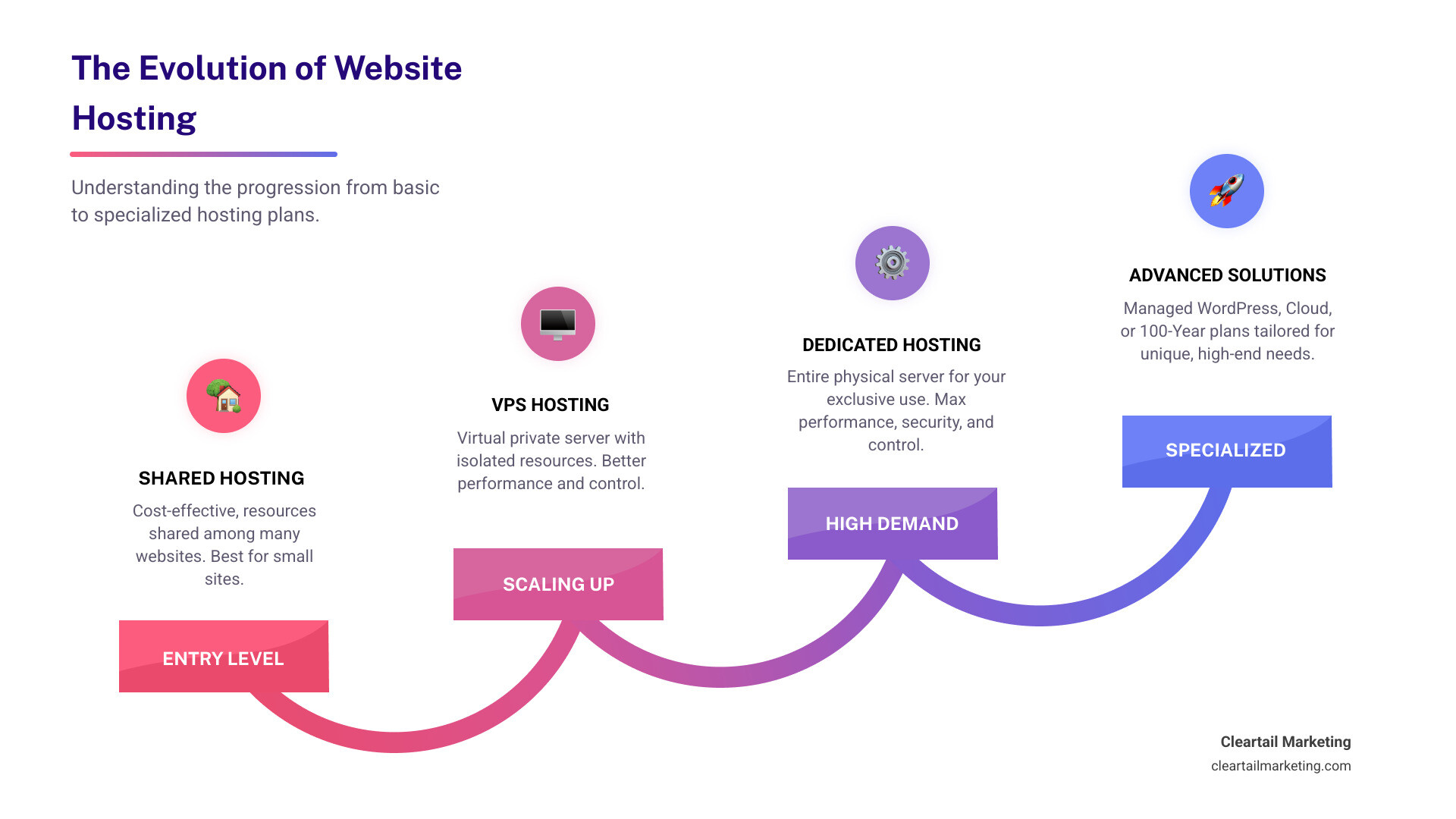
Special hosting plans go beyond basic shared hosting to provide dedicated resources, improved security, and performance optimizations custom to specific business needs. These plans include managed WordPress hosting, dedicated servers, cloud infrastructure solutions, and even century-long hosting options designed for digital legacy preservation.
Key Types of Special Hosting Plans:
- Managed WordPress Hosting – Automated updates, expert support, and WordPress-specific optimizations
- Dedicated Hosting – Entire server exclusively for your site, ideal for high-traffic websites and e-commerce stores
- 100-Year Plan – Long-term digital preservation with century-long hosting and domain registration
- VPS Hosting – Virtual private server with isolated resources, bridging the gap between shared and dedicated hosting
If your website is experiencing slow load times, struggling with traffic spikes, or you’re running an online store that can’t afford downtime, a special hosting plan might be exactly what you need. Standard shared hosting works fine for simple blogs or small business sites. But as WordPress powers more than 40% of the web, businesses increasingly need hosting solutions that can handle complex demands—from WooCommerce stores processing thousands of transactions to corporate sites requiring improved security and compliance.
The stakes are high. According to industry data, downtime can cost small businesses up to $427 per minute and larger corporations up to $9,000 per minute. Meanwhile, many businesses see site speeds improve dramatically after migrating to platforms that specialize in optimized hosting, demonstrating the tangible impact that specialized hosting can have on performance.
I’m Magee Clegg, founder and CEO of Cleartail Marketing, and over the past decade I’ve helped 90+ B2B companies select and implement special hosting plans that align with their growth objectives, often as part of comprehensive digital marketing strategies that have delivered results like 14,000% increases in website traffic. This guide will walk you through the landscape of specialized hosting solutions so you can make an informed decision for your business.
Understanding the Foundation: WordPress and Hosting Essentials
Before we dive into the nitty-gritty of special hosting plans, understand the foundation upon which many of today’s websites are built: WordPress. As a digital marketing agency, we often find ourselves recommending WordPress for its versatility and power.
What is a CMS and Why is WordPress Dominant?
A Content Management System (CMS) is a software application that allows users to create, manage, and modify content on a website without needing specialized technical knowledge or coding skills. Think of it as the backend engine that powers your website, making it easy to publish blog posts, add pages, upload images, and much more.
WordPress began as a personal publishing system built on PHP and MySQL. It’s open-source software licensed under the GNU General Public License (GPL) and has been under active development for nearly 20 years.
Why is WordPress the most popular CMS, and what makes it suitable for beginners?
The answer lies in its incredible flexibility, vast ecosystem, and user-friendly interface. WordPress powers more than 40% of the web, and it boasts a market share of more than 60% among sites that use a CMS specifically. This widespread adoption is due to several factors:
- Ease of Use: WordPress is incredibly intuitive, making it suitable for beginners. You don’t need in-depth knowledge of coding to create a professional-looking website. The backend is user-friendly, and there are loads of WordPress articles and help available online.
- Versatility: While it started as a blogging platform, WordPress has evolved into a robust system capable of powering anything from simple personal blogs to complex e-commerce stores, corporate websites, and even social networks. This scalability means it can grow with your business.
- SEO-Friendliness: WordPress is optimized for search engines out of the box, making it easier to improve your site’s visibility and rankings on search engines like Google. This is crucial for any business aiming for online success.
- Community Support: WordPress has a large and active community of users and developers. This means abundant resources, tutorials, and forums (like the official WordPress forums) are available to help beginners get started and experienced users troubleshoot issues.
- Cost-Effectiveness: The core WordPress software is free. While you’ll need to pay for web hosting and a domain name (you can check out our guides on Cost of Hosting a Website on WordPress and WordPress Hosting Cost), the platform itself keeps initial development costs low.
Customizing Your Site: Themes, Plugins, and Editors
The true power of WordPress lies in its extensibility through themes and plugins, coupled with modern editing tools.
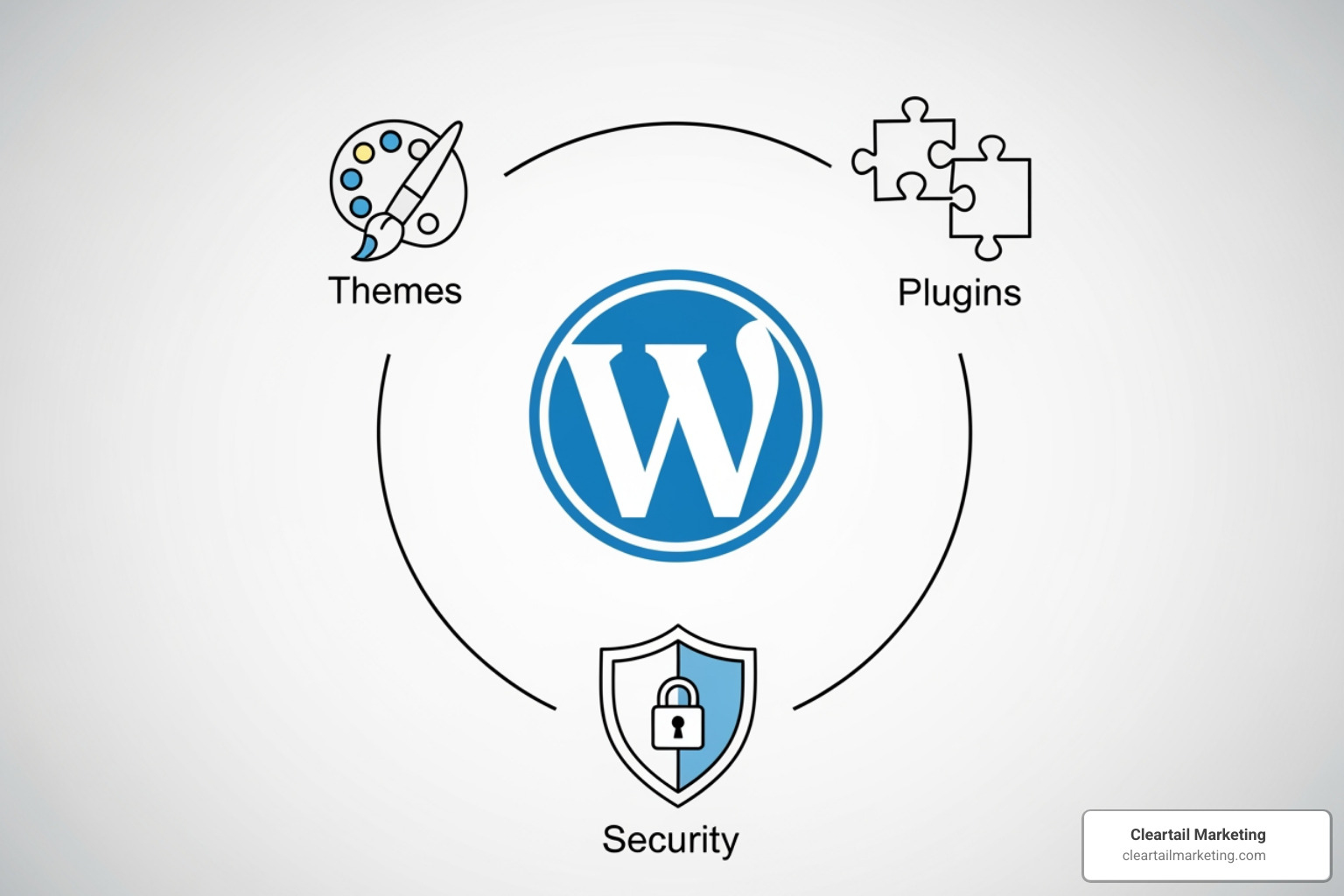
- WordPress Themes: WordPress themes are files that control a WordPress website’s visual appearance and layout. They determine a site’s overall design, typography, colors, and other visual elements. Thousands of free and paid themes are available in the WordPress theme repository, allowing you to customize your site’s look and feel without coding. Some themes even come with built-in functionality like e-commerce support.
- WordPress Plugins: WordPress plugins are software components that add specific features and functionality to your WordPress website. With over 58,000 plugins available in the WordPress Plugin Repository, you can add anything from contact forms and SEO tools to e-commerce capabilities (like WooCommerce, which has over five million active installations).
- WordPress Block Editor and Site Editor: The WordPress Block Editor (Gutenberg) allows users to create posts and pages using pre-built content blocks, simplifying content creation. The Site Editor extends this modular approach to site-wide features like headers, footers, layouts, and more, offering a visual, drag-and-drop interface for comprehensive site customization. These tools simplify content creation and customization, even for beginners.
Managed vs. Unmanaged Hosting
Understanding the difference between managed and unmanaged hosting is critical when evaluating special hosting plans.
- Unmanaged Hosting: With unmanaged hosting, the provider gives you the server space, and you’re responsible for almost everything else: operating system installation, server maintenance, security patches, software updates, backups, and troubleshooting. It offers maximum control but requires significant technical expertise and time.
- Managed Hosting: Managed hosting, particularly managed WordPress hosting, is where the provider handles all the technical aspects of server maintenance, security, updates, and performance optimization. This includes automatic WordPress core, theme, and plugin updates, daily backups, advanced security measures, and expert support.
What are the main differences between regular WordPress hosting and managed WordPress hosting?
Regular hosting provides server space, while managed WordPress hosting adds a layer of specialized services including automatic updates, improved security, performance optimization, and expert support specifically for WordPress, reducing the technical burden on the user.
What are the risks of not using a managed WordPress host?
Not using a managed WordPress host can expose you to several risks:
- Security Vulnerabilities: Without constant monitoring and updates, your site becomes an easy target for hackers.
- Performance Issues: Lack of optimization can lead to slow loading times, impacting user experience and SEO.
- Downtime: Server issues, plugin conflicts, or traffic spikes can cause your site to go offline, leading to lost revenue and reputation.
- Technical Headaches: You’ll spend valuable time troubleshooting complex server or WordPress issues instead of focusing on your business.
- Data Loss: If backups aren’t regularly maintained, a critical error could lead to irreversible data loss.
The advantages of managed WordPress hosting are clear: peace of mind, improved performance, improved security, and expert support, allowing you to focus on your business. We always recommend managed solutions for serious businesses looking for reliable hosting providers.
What to Look for in Special Hosting Plans
When choosing a managed WordPress hosting provider, what should users look for? We focus on several key areas:
- Speed and Performance: Look for hosts that offer optimized infrastructure, caching solutions (like EverCache®), and Content Delivery Networks (CDNs) to ensure fast loading times.
- Robust Security Features: This is non-negotiable. Essential features include Web Application Firewalls (WAF), DDoS protection, free SSL certificates, malware scanning and removal, and proactive threat detection. For example, leading hosts like WP Engine block over 26 billion attacks per year with continuous monitoring.
- Reliable Backups and Staging Sites: Automated daily backups are crucial for data recovery. Staging environments allow you to test changes before going live, preventing errors on your production site.
- Expert Support: 24/7 access to WordPress-savvy support is invaluable. 90% of issues are resolved on the very first interaction with every interaction handled by an expert in WordPress at WP Engine, for example.
- Scalability: Can the plan grow with your business? Ensure the provider offers easy upgrades to handle increased traffic and resource demands.
- Developer-Friendly Tools: Features like Git integration, SSH access, WP-CLI, and local development environments are a huge plus for agencies and developers.
- Pricing Structures: What is the typical cost range for managed WordPress hosting? It varies widely based on features and resources. Entry-level managed plans might start around $25-$50/month, while enterprise-level solutions can run into hundreds or even thousands. For a detailed comparison, check out our Website Hosting Comparison Guide.
Exploring High-Performance Special Hosting Plans
When standard hosting no longer cuts it, businesses turn to high-performance special hosting plans. These solutions are designed to deliver exceptional speed, security, and reliability for demanding websites.

Many of these advanced solutions leverage cloud infrastructure from major players like Amazon Web Services, Google Cloud, and Microsoft Azure, providing unparalleled scalability and global reach. For a deeper dive into options, you can compare hosting plans.
The Managed Advantage: High-Performance Platforms
High-performance managed WordPress platforms offer a range of tiered plans designed to cater to different business needs, from small blogs to large enterprises.
Typical tiers include:
- Entry-Level Managed Plans: For small websites and blogs, usually supporting a single site with modest storage and bandwidth limits.
- Growth-Focused Plans: For building your brand, often including multiple sites, increased visitor allowances, and more storage.
- Scaling Plans: For rapidly growing businesses and agencies, adding even more sites, higher traffic thresholds, and greater resources.
- Custom/Enterprise Hosting: For mission-critical sites and enterprises, offering custom resources and advanced features with custom pricing.
Common features across quality managed WordPress hosting plans include:
- End-to-End Management: Fully managed WordPress, PHP and database updates, often with auto roll-back.
- Performance Optimization: Server-level caching, image optimization, and global Content Delivery Networks (CDNs) that significantly improve page load times.
- Security: Proactive WordPress security, DDoS protection, managed Web Application Firewalls (WAF), free SSL certificates, and regular security audits.
- Developer Tools: Dev, staging, and production environments, Git/SFTP access, platform APIs, and local development tools.
- Support: 24/7 access to support teams that specialize in WordPress.
- Backups and Migration: Automated daily and on-demand backups, plus guided or automated migration tools.
These managed platforms cater to different business needs: small businesses can start with entry-level plans to get the benefits of managed services without a heavy price tag, agencies appreciate multi-site management and developer tools, and enterprises rely on custom resources and advanced security and compliance features.
The Power of Dedicated WordPress Hosting
What is dedicated WordPress hosting, and when is it recommended?
Dedicated WordPress hosting means your website gets an entire server’s resources all to itself. Unlike shared hosting, where resources are shared among many websites, or VPS hosting, where a physical server is partitioned into several virtual servers, dedicated hosting offers complete isolation.
It’s recommended for:
- High-Traffic Websites: Sites with consistent high visitor volumes or frequent traffic spikes (e.g., virtual events, Black Friday sales).
- Resource-Intensive Applications: Busy WooCommerce stores, Learning Management Systems (LMS), or complex web applications that demand significant CPU and RAM.
- Improved Security: Businesses with strict compliance requirements (like PCI DSS for e-commerce) or those handling sensitive user data.
- Custom Configurations: When you need full control over the server environment, including operating system, software, and specific settings.
How can dedicated WordPress hosting improve website performance and security?
- Performance: Exclusive access to server resources (CPU, RAM, storage) means no “noisy neighbors” to slow down your site. This leads to faster page load times, better response rates, and improved handling of concurrent users. For instance, some providers report that edge caching and optimized CDNs can cut the time needed to serve cached WordPress HTML by more than half, showcasing the impact of optimized infrastructure.
- Security: Dedicated servers offer complete isolation, reducing vulnerabilities from other sites. Reputable providers leverage secure-by-design infrastructure, battle-hardened firewalls, and complete resource isolation with continuous monitoring, automated updates, and proactive threat detection.
Dedicated hosting plans often highlight additional benefits such as:
- Full Root or Administrator Access: Complete control over your server environment when you need it.
- Modern Storage: SSD or NVMe storage, which is significantly faster than traditional HDDs.
- High Uptime Guarantees: Service-level agreements (SLAs) that commit to very high network uptime.
- Managed Services: Hardware management, monitoring, and security updates handled for you so you can focus on your site.
Table Comparing Hosting Types: Shared vs. VPS vs. Dedicated
To further clarify, here’s a quick comparison of the main types of web hosting:
| Feature | Shared Hosting | VPS Hosting | Dedicated Hosting |
|---|---|---|---|
| Resource Allocation | Shared among many users | Dedicated virtual resources within a server | Entire physical server dedicated to one user |
| Performance | Basic, can be affected by “noisy neighbors” | Better than shared, more consistent | Highest, consistent, and reliable |
| Security | Basic, shared environment vulnerabilities | Improved isolation, fewer shared vulnerabilities | Highest, complete isolation, full control |
| Control | Minimal, managed by host | Moderate, root access often available | Full root access, complete server control |
| Cost | Lowest | Medium | Highest |
| Target User | Small blogs, personal sites, low traffic | Growing businesses, moderate traffic, specific app needs | High-traffic sites, e-commerce, large applications, strict security needs |
The 100-Year Plan: The Ultimate in Special Hosting Plans
Stepping into truly unique territory, some platforms now offer a remarkable special hosting plan concept often referred to as a 100-year plan. This isn’t just hosting; it’s a commitment to digital legacy.
What is the 100-Year Plan and Who is it For?
A 100-year plan is designed for ultimate security and longevity for your digital presence. It is an investment in ensuring your website and its content remain online and accessible for a full century.
Typical features of a century-long hosting plan include:
- Century-Long Hosting: Your website is hosted and maintained for 100 years.
- Long-Term Domain Registration Management: A domain name is registered and renewed on your behalf for the entire century.
- Business-Grade Hosting Features: Ad-free experiences, SEO tools, support for custom themes and plugins, 24/7 expert support, and advanced security (automated data center failover, malware protection, DDoS mitigation, real-time backups).
- Digital Legacy Preservation: Aims to preserve digital assets for future generations, akin to a digital family archive.
- Future-Proofing: The long-term business model is designed so that a portion of the purchase price helps cover future maintenance costs and hedge against inflation.
This type of plan is best for:
- Organizations & Cultural Institutions: To ensure their historical records, archives, and official presence remain accessible.
- Companies & Founders: To establish a long-term digital home for their brand, preserving its history and future online presence.
- Families: To create a comprehensive digital archive of their history, photos, and stories to be passed down through generations.
How a Century of Hosting and Domain Registration Works
Domain name registrations typically have a 10-year limit. With a 100-year style plan, the provider manages the domain name registration, initiating it with a standard registration period and then renewing it regularly for the next 100 years. They handle all the administrative aspects, ensuring continuity and relieving you of the burden of ongoing renewals.
Planned or typical features for these long-term plans can include:
- Ownership Protocols: Special protocols for transferring ownership of the site and domain through generations or organizational changes.
- Archive Integrations: Automatic backup integration with long-term internet archives, including automatic link fixing to prevent broken links over time.
- Locked Mode: A “Locked Mode” option for read-only site preservation, ideal for archiving content.
- Commemorative Artifact: A physical commemorative artifact or certificate acknowledging the long-term plan.
Refund policies on such long-term plans are usually limited to an initial window after purchase and may not be available after that period. If a provider cannot support the plan or domain name as intended (for example, due to unforeseen technological changes), reputable companies typically attempt to find an alternative arrangement or issue a prorated refund.
Providers offering century-long plans generally commit to maintaining a plan of equal or better value than their current business-grade offerings. They will notify users of significant changes or deprecations and provide alternatives if these changes materially impact the site’s operation or preservation, understanding that technologically obsolete features may not always require direct replacements.
Frequently Asked Questions about Hosting Plans
What’s the main difference between regular and managed WordPress hosting?
Regular hosting provides server space, while managed WordPress hosting adds a layer of specialized services including automatic updates, improved security, performance optimization, and expert support specifically for WordPress, reducing the technical burden on the user. Essentially, managed hosting takes the technical headaches off your plate, allowing you to focus on your content and business growth.
When should I upgrade from shared hosting to a special hosting plan?
You should consider upgrading when your website’s traffic grows significantly, your site speed slows down, you require improved security for e-commerce or data collection, or you need developer tools like staging environments. If your site is experiencing frequent downtime, struggling with resource limits, or you’re spending too much time on technical maintenance, it’s a clear signal that a special hosting plan is needed. For example, if you’re running a WooCommerce store, the demands on your server will quickly outgrow shared hosting.
Is dedicated hosting worth the cost?
For high-traffic websites, large e-commerce stores, or applications with heavy resource demands, dedicated hosting is absolutely worth the cost. It provides unparalleled performance, security, and control that shared or VPS hosting cannot match, preventing downtime and protecting revenue. While the initial investment is higher, the benefits of superior speed, reliability, and customizability often far outweigh the expense for mission-critical online operations.
Conclusion: Choosing the Right Hosting for Your Future
Choosing the right hosting solution is one of the most strategic decisions you’ll make for your online presence. It’s not just about keeping your website online; it’s about ensuring it performs optimally, remains secure, and scales seamlessly with your business goals.
At Cleartail Marketing, we understand that finding the perfect fit among the myriad of special hosting plans can be daunting. We specialize in guiding businesses through this landscape, ensuring they invest in solutions that align with their digital marketing strategies and long-term objectives. Whether you’re a small business needing reliable managed WordPress hosting, an enterprise seeking robust dedicated servers, or an institution looking to preserve a digital legacy for a century, the right hosting plan is an investment in your digital future.
By understanding the landscape of special hosting plans, you can make an informed choice that ensures your site is fast, secure, and ready to scale. We’re here to help you steer the options and make the best decision for your business. For more insights into website hosting costs and to explore your options, visit our comprehensive compare hosting plans guide.
