



Introduction: Your Business’s Digital Foundation
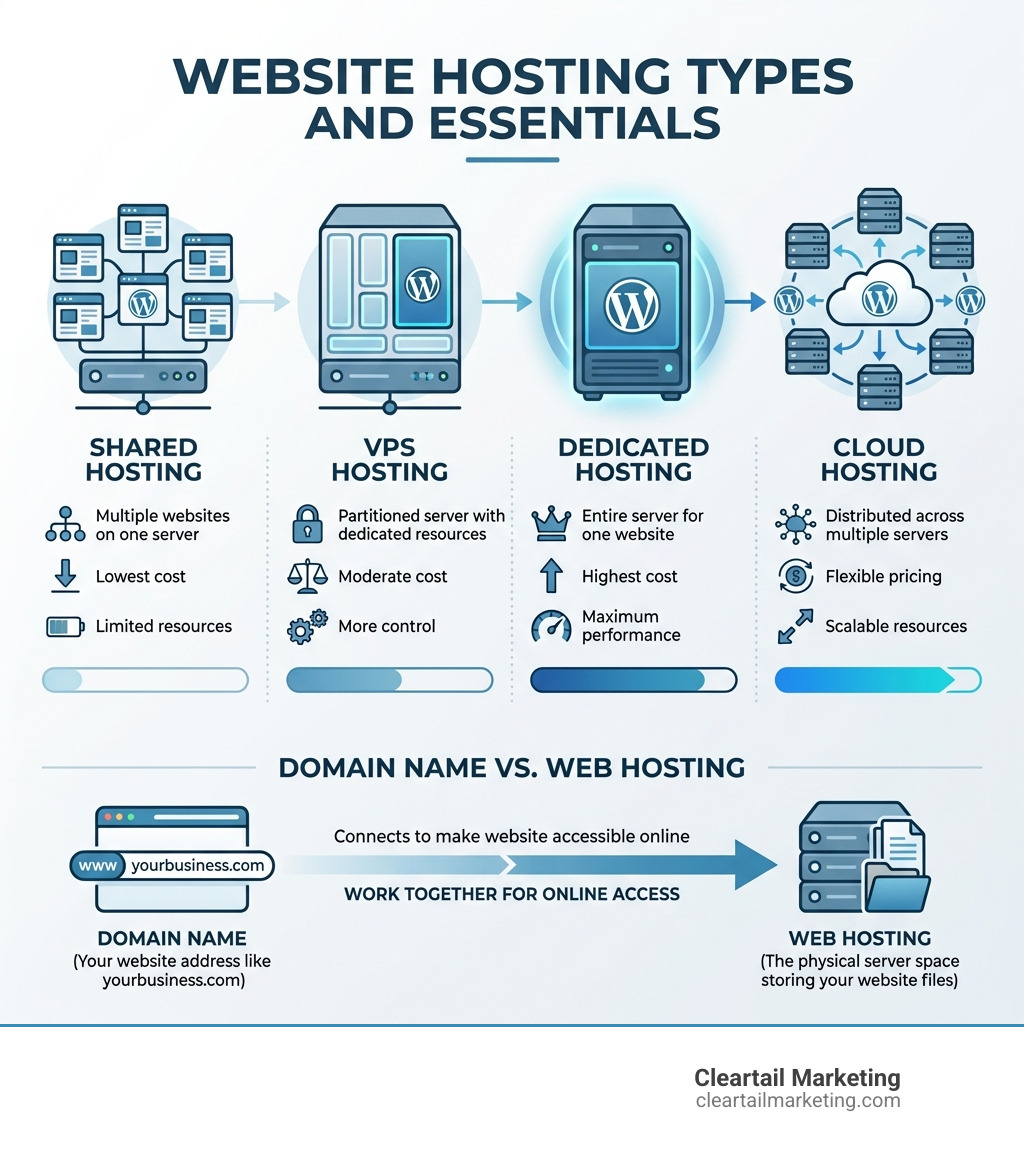
Website hosting for business is the service that stores your website’s files and makes them accessible online. Here’s what you need to know:
Quick Answer:
- Shared Hosting – Best for new businesses with low traffic ($2-15/month)
- VPS Hosting – Ideal for growing businesses needing more control ($20-80/month)
- Dedicated Hosting – For high-traffic sites requiring maximum performance ($80-500+/month)
- Cloud Hosting – Flexible option for businesses with fluctuating traffic (pay-as-you-go)
Think of web hosting as renting digital space for your business. Just as you rent a physical storefront, you rent server space to publish your website.
Your hosting choice directly impacts your success. A slow website loses visitors—53% will leave if a page takes more than three seconds to load. Poor uptime means lost sales, and weak security damages customer trust. Your provider determines your site’s speed, reliability, and security, which are crucial for user experience and search rankings. A slow or offline server costs you revenue and credibility.
Fortunately, you don’t need a technical degree to understand the basics. This guide breaks down hosting types, key features, and how to choose a solution that supports your growth.
I’m Magee Clegg, founder and CEO of Cleartail Marketing. Since 2014, I’ve helped over 90 B2B companies grow their online presence by implementing cost-effective digital strategies, including selecting the right website hosting. In this guide, I’ll share what I’ve learned about making hosting decisions that support real business growth.
Understanding the Core Types of Business Web Hosting
Choosing the right website hosting for business is like choosing the right vehicle. A compact car is great for city driving, but you wouldn’t take it off-roading. Similarly, different hosting types are designed for different business requirements. Let’s explore the main options.
Each type offers a unique balance of cost, performance, and control. To help you visualize the differences, we’ve put together a comparison table:
| Hosting Type | Pros | Cons | Cost (Monthly Avg.) | Ideal Business Type |
|---|---|---|---|---|
| Shared Hosting | Very affordable, easy to set up, beginner-friendly | Limited resources, performance can be affected by other sites, less control | $2-$15 | New businesses, small blogs, personal websites, low-traffic sites |
| VPS Hosting | More resources than shared, better performance, root access, scalable | Requires some technical knowledge, more expensive than shared | $20-$80 | Growing businesses, e-commerce stores, moderate traffic sites, developers |
| Dedicated Hosting | Maximum performance, full control, high security, customizable | Most expensive, requires significant technical expertise, single point of failure | $80-$500+ | Large enterprises, high-traffic e-commerce, complex applications, mission-critical sites |
| Cloud Hosting | Highly scalable, pay-as-you-go, high reliability, flexible resources | Can be complex to manage, costs can fluctuate, less predictable billing | Varies widely (often usage-based) | Businesses with fluctuating traffic, SaaS applications, rapid growth |
For a more in-depth look at your options, we invite you to Compare Hosting Plans directly through our site.
Shared Hosting: The Economical Starter Pack
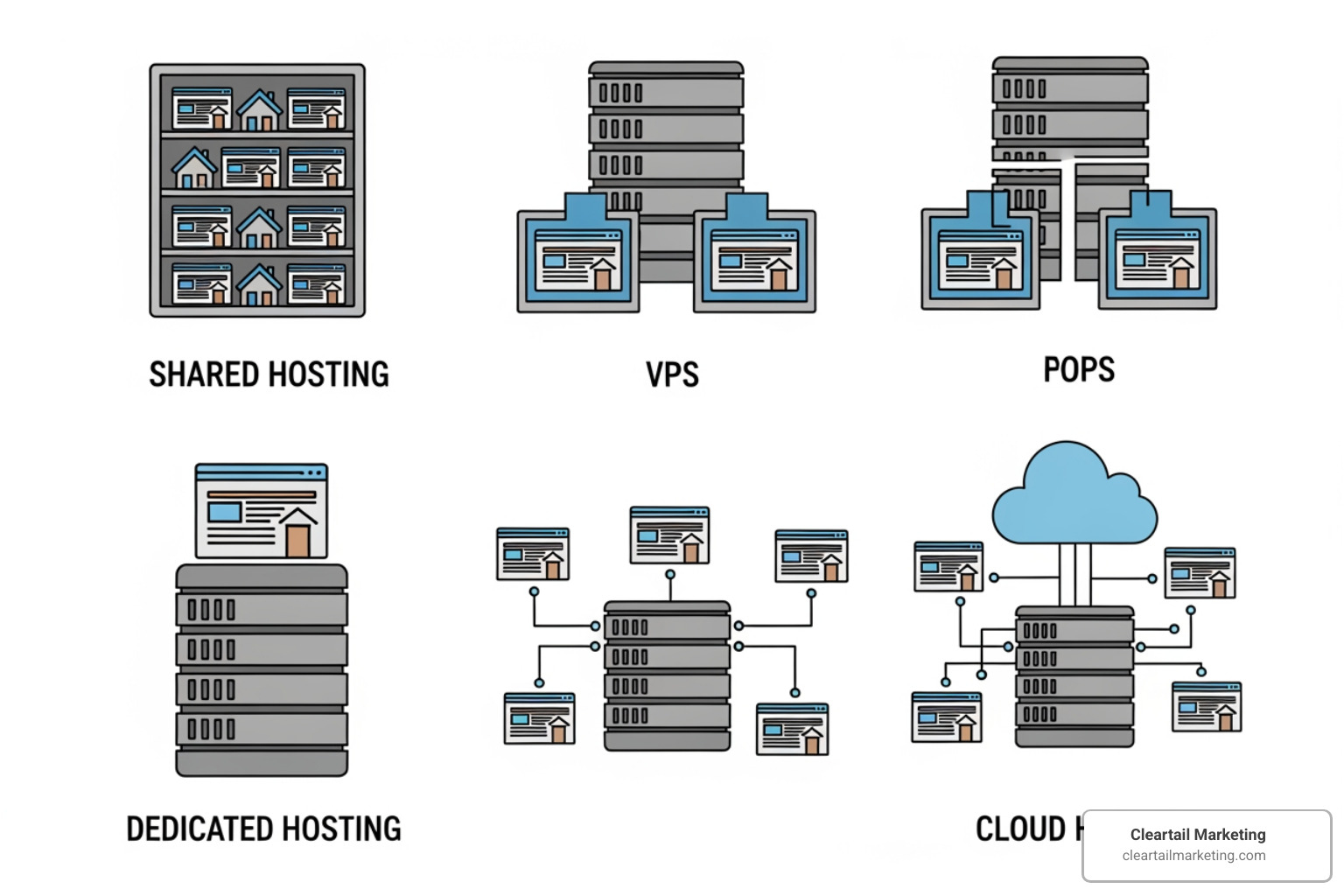
Shared hosting is the most common starting point. It’s like an apartment building where you share server resources (CPU, RAM) with other websites.
Pros:
- Low Cost: The most budget-friendly option for startups.
- Beginner-Friendly: Easy to set up and manage with control panels like cPanel.
- Maintenance-Free: The provider handles server maintenance and updates.
Cons:
- Performance Limitations: A traffic surge on another site can slow yours down.
- Less Control: Limited ability to configure the server environment.
- Security Risks: A vulnerability on one site could potentially affect others.
Ideal for: New websites, small business sites, and blogs with low traffic. It’s a solid choice for getting started without a large investment.
VPS Hosting: The Scalable Middle Ground
VPS hosting is a major upgrade from shared. It’s like having a private condo in a shared building; a physical server is partitioned, giving you guaranteed resources and more control.
Pros:
- More Control: Root access allows for custom software and configurations.
- Dedicated Resources: Guaranteed CPU and RAM mean performance isn’t affected by others.
- Better Performance: Faster and more reliable than shared hosting.
- Scalable: Easily upgrade resources as your business grows.
Cons:
- Moderate Cost: More expensive than shared hosting.
- Technical Knowledge: Requires some expertise, though managed options are available.
Ideal for: Growing businesses and e-commerce stores that have outgrown shared hosting but don’t need a dedicated server.
Dedicated Hosting: The Powerhouse Option
Dedicated hosting gives your website an entire physical server. It’s like owning a private house—all resources and control are exclusively yours.
Pros:
- Maximum Performance: Unrivaled speed since all resources are yours.
- Full Control: Complete root access for extensive customization.
- High Security: You can implement custom, robust security measures.
- Customizable: Choose your own OS, hardware, and software.
Cons:
- Higher Cost: The most expensive hosting option.
- Technical Expertise Required: Requires significant knowledge to manage, or investment in managed services.
Ideal for: Large enterprises, high-traffic e-commerce, and any business where maximum performance and security are critical. For businesses that demand the absolute best, our Cleartail’s Dedicated Hosting Solutions offer unparalleled power.
Cloud Hosting: The Flexible and Reliable Choice
Cloud hosting uses a network of interconnected servers instead of a single one. Your site’s data is replicated, so if one server fails, another takes over, ensuring high uptime.
Pros:
- High Scalability: Instantly scale resources up or down to handle traffic spikes.
- Pay-for-Use Model: Often, you only pay for the resources you consume.
- High Uptime and Redundancy: Less prone to downtime due to its distributed nature.
- Flexibility: Great for businesses with unpredictable traffic.
Cons:
- Can Be Complex: Managing cloud environments can be intricate.
- Cost Fluctuation: The pay-as-you-go model can lead to unpredictable costs.
Ideal for: Businesses with fluctuating traffic, e-commerce sites during peak seasons, and rapidly growing companies. If you’re looking for agility, explore Cleartail’s Cloud Hosting Options.
Why website hosting for business is critical for success
Your website hosting for business is more than just file storage; it’s the engine driving your online presence, directly impacting performance, user experience, SEO, and your bottom line.

The Need for Speed: Performance and User Experience
In the digital world, patience is rare. A staggering 53% of users abandon a page that takes longer than three seconds to load. A slow website doesn’t just frustrate visitors; it hurts your business.
Page load time is critical for user experience and conversions. It’s also a ranking factor for Google. Search engines prioritize fast sites because they offer a better experience. Google’s Core Web Vitals measure how quickly your page becomes interactive and visually stable.
Your hosting plays a huge role here. A robust server ensures a low server response time (TTFB – Time to First Byte). A slow TTFB means you’re already behind. We encourage you to Test your site speed to find areas for improvement. Understanding Time to Interactive (TTI) is also crucial, as it measures when a page becomes fully usable.
Reliability and Uptime: Your 24/7 Digital Storefront
Imagine a customer finds your physical store locked during business hours. The same applies online. Uptime is the percentage of time your website is accessible. A 99.9% uptime guarantee means your site will be down for less than 9 hours a year, while top-tier providers offer even higher guarantees.
High uptime is non-negotiable. Every minute your site is down, you could be losing sales and customer trust. Look for a hosting provider with a strong Service Level Agreement (SLA) detailing their uptime guarantee. Reputable providers often have public status pages to verify server availability and use advanced systems to monitor server status constantly. At Cleartail Marketing, we guide our clients toward Reliable Hosting Providers that prioritize uptime.
The Connection Between Website Hosting for Business and SEO
The link between your hosting and SEO is undeniable. Google wants to provide the best results, and a fast, reliable, and secure website is a big part of that.
Here’s how your hosting impacts SEO:
- Crawlability: If your server is slow or down, search engine crawlers struggle to access and index your content. Fast servers allow crawlers to index more pages in less time.
- Server Location: The physical location of your server matters. A server closer to your target audience reduces latency and improves load times, which Google notices.
- Security (HTTPS): Google favors sites with SSL certificates (HTTPS). Most reputable hosts include free SSL certificates, which is crucial for security and as a minor ranking signal.
- User Engagement: Fast load times lead to better user engagement (lower bounce rates, more time on site). These metrics signal to Google that your site provides a valuable experience, which can positively influence your rankings.
Our Website Hosting Small Business Guide digs deeper into these aspects.
Key Factors for Choosing the Right Hosting Provider
Selecting the optimal website hosting for business is a strategic decision that goes beyond price. It involves evaluating factors that will influence your site’s performance, security, and success.
Managed vs. Unmanaged Hosting: Who’s in Control?
This choice boils down to how much technical responsibility you want.
Managed Hosting: Your provider handles server administration, maintenance, and technical support.
- Benefits: This hands-off approach lets you focus on your business. It includes server setup, updates, security monitoring, backups, and performance optimization.
- Support: You get expert assistance, which can be the difference between a quick fix and a prolonged outage.
- Maintenance: The provider handles all software, security, and hardware updates.
Unmanaged Hosting: You get complete control over the server environment.
- Control: You have full root access and are responsible for all configurations, software, and security.
- Cost Savings: Generally cheaper because you’re doing the work.
- Technical Expertise Required: Best for businesses with in-house IT staff or developers who can manage a server.
For most small to medium-sized businesses, managed hosting is the preferred choice. Our Special Hosting Plans Ultimate Guide explores these options further.
Essential Security Features for Your Business Website
Security is paramount. A data breach can damage your reputation and customer trust. Your host should offer robust security.
- SSL Certificates: Encrypts data between your site and visitors (HTTPS). Essential for security and SEO, as Google penalizes sites without one. Most hosts include free SSL.
- DDoS Protection: Mitigates attacks that try to overwhelm your server with traffic.
- Web Application Firewall (WAF): Filters traffic to protect against common web exploits.
- Malware Scanning and Removal: Regular scanning to detect and remove malicious software.
- Automated Backups: Non-negotiable for disaster recovery. Look for regular, automated backups with easy, one-click restore options.
At Cleartail Marketing, we guide clients towards High Security Hosting solutions. If you have questions about security, check the provider’s help center or contact their support team.
Evaluating Customer Support and Server Location
Two often-overlooked but critical factors are support quality and server location.
- Customer Support: When something goes wrong, you need fast, expert help. Look for 24/7 support via multiple channels (live chat, phone, email). Responsive support minimizes downtime. Don’t hesitate to test their support response times before committing.
- Server Location: The location of data centers impacts speed. If your customers are in Canada, hosting on Canadian servers reduces latency. For a global audience, a Content Delivery Network (CDN) is critical.
Decoding Hosting Packages: Storage, Bandwidth, and More
Hosting packages are full of jargon. Here’s what matters most:
- Storage: The space for your website files.
- SSD (Solid State Drive): Faster than traditional HDDs, leading to quicker loading.
- NVMe (Non-Volatile Memory Express): Even faster than SSDs, offering superior performance for high-traffic sites.
- Bandwidth/Data Transfer: The amount of data transferred to visitors. Higher bandwidth supports more simultaneous visitors. “Unlimited” plans usually have fair usage policies, so read the fine print.
- Email Accounts: Professional email (e.g., [email protected]) adds credibility. Most business plans include this.
- Control Panel (cPanel/Plesk): A user-friendly interface for managing your hosting account, domains, and email.
- One-Click Installers: Tools to easily install applications like WordPress, even without technical skills.
Our Website Hosting Comparison Guide provides a comprehensive breakdown to help you choose.
Advanced Hosting Concepts: Costs, CDNs, and Migration
As your business grows, your website hosting for business needs will become more sophisticated. Understanding costs, CDNs, and migration planning are crucial for long-term success.
Understanding the cost of website hosting for business
The advertised price can be misleading. Look beyond the initial offer.
- Introductory vs. Renewal Pricing: The low advertised price is often for the first term. Renewal rates can be significantly higher, so always check them before committing.
- Contract Length: Longer commitments often have lower monthly rates, but ensure you’re happy with the provider before locking in.
- Add-on Costs: Essential features like advanced backups, migration services, or premium security may be paid add-ons.
- Hidden Fees: Read the terms carefully for fees related to bandwidth overages, domain registration, or early cancellation.
For a detailed breakdown, see our resources on the Cost of Website Hosting and our WordPress Hosting Cost Complete Guide.
What is a Content Delivery Network (CDN)?
A Content Delivery Network (CDN) is a global network of servers that delivers your website content to users based on their geographic location.
- How it Works: A CDN stores cached copies of your site’s static content (images, CSS files) on servers worldwide. When a user visits your site, the content is delivered from the server closest to them.
- Reduced Latency: By shortening the physical distance data travels, a CDN drastically reduces latency and improves load times.
- Improved Speed: The result is a much faster website experience for all users, regardless of location. A CDN can significantly improve performance.
- Benefits for Business: A CDN is essential for businesses with a global audience. It also helps handle traffic spikes by distributing the load across its network, preventing your main server from being overwhelmed.
Planning a Website Migration to a New Host
Switching hosting providers, or website migration, can be smooth with careful planning. Site migrations are significant undertakings that require a clear process.
- Migration Process Steps:
- Backup Your Entire Site: Create a complete backup of your files and database first.
- Choose Your New Host: Select a provider that meets your current and future needs.
- Transfer Files and Database: Upload your site to the new host. Many providers offer free migration services.
- Test Your Site: Thoroughly test your website on the new host using a temporary URL.
- Update DNS: Once everything works, update your domain’s DNS records to point to the new host. This can take up to 48 hours to propagate.
- SEO Considerations: A poorly executed migration can harm your rankings. Ensure all URLs are preserved or use 301 redirects for any changes. As Google defines site moves, careful planning is needed to minimize SEO impact.
- Minimizing Downtime: Plan the migration during your site’s off-peak hours to minimize disruption for visitors.
Cleartail Marketing has experience guiding businesses through these transitions, ensuring your online presence remains robust.
Frequently Asked Questions about Business Website Hosting
We often encounter similar questions from business owners navigating website hosting for business. Here are answers to the most common inquiries.
How do I choose the right hosting plan for my website traffic?
Choosing the right plan is a process that evolves with your business.
- Start with Shared Hosting: For new businesses with low traffic, shared hosting is a cost-effective starting point.
- Monitor Resource Usage: Check your control panel for CPU, RAM, and bandwidth usage. If you consistently hit limits, it’s time to upgrade.
- Upgrade as Traffic Grows: When traffic increases, upgrade to a VPS or cloud plan for dedicated resources and better performance.
- Analyze Website Analytics: Use tools like Google Analytics to understand traffic patterns and predict future hosting needs.
- Consider Seasonal Spikes: For predictable traffic surges (e.g., holiday sales), cloud hosting’s scalability is ideal, as you can temporarily add resources.
Can I host my business email with my website?
Yes. Most website hosting for business plans include professional email accounts associated with your domain.
- Professional Email ([email protected]): An email address like “[email protected]” improves your brand’s credibility and professionalism over a generic Gmail or Outlook address.
- Branding Benefits: A custom domain email adds a layer of trust and legitimacy in all communications.
- Separate Email Hosting: Some businesses prefer dedicated email hosting like Google Workspace or Microsoft 365 for more advanced features, though integrated hosting email is sufficient for many.
What’s the difference between a domain name and web hosting?
This is a fundamental concept for any online presence.
- Domain Name is Your Address: Your domain name (e.g., cleartailmarketing.com) is your unique address on the internet. It’s how people find you in a browser.
- Web Hosting is the Physical Space: Your website hosting for business is the actual server where your website’s files (images, text, code) reside. Without hosting, your domain name would point to an empty lot.
Both are essential and work together: you need a domain name so people know where to go, and you need web hosting to have something for them to see.
Conclusion: Partnering for Online Success
Choosing the right website hosting for business is more than just a technical decision; it’s a foundational investment in your company’s digital future. The hosting solution you select directly impacts your website’s speed, security, reliability, and ultimately, your ability to attract and retain customers online.
We’ve explored the various types of hosting, from the economical shared options to the robust dedicated and flexible cloud solutions. We’ve highlighted why factors like speed, uptime, and security are non-negotiable for business success and how they intertwine with your SEO efforts. We’ve also digd into the practicalities of choosing a provider, understanding costs, and leveraging advanced tools like CDNs.
At Cleartail Marketing, we understand that navigating these choices can be complex. Our expertise in digital marketing, including search engine optimization, WordPress website design, and website hosting, means we’re uniquely positioned to help businesses like yours in the United States and Canada make informed decisions. We’re dedicated to building strong client relationships and delivering proven results.
For expert guidance on selecting the perfect hosting solution and integrating it with a powerful digital strategy, explore our guide to the best small business webhosting. Let us help you build a robust and reliable online foundation that supports your business growth for years to come.
